A Progressive Web App (PWA) is not installed via the App Store. Instead, open the website in Safari and add it to your Home Screen.
Instructions
-
On your iPhone, open the Safari app.
Do not open the link directly from Facebook, Gmail, Messenger, or another app.
-
Enter the web app address and open the link:
https://pwa.beescales.io/
-
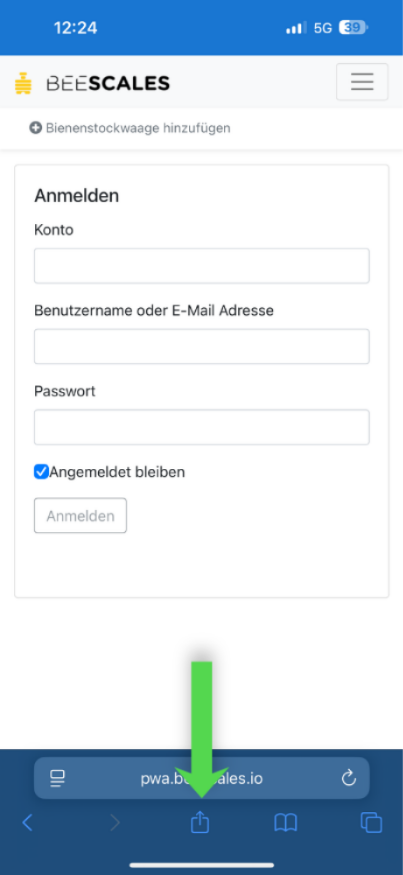
Open the Share menu:
- On newer iOS versions, tap the three dots (···) next to the address bar and then tap Share.
- On older iOS versions, tap the square with an arrow icon.
-
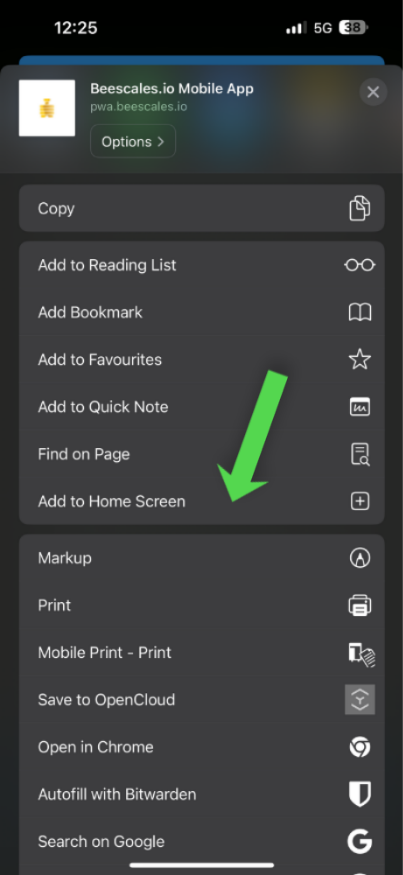
Scroll down and select "Add to Home Screen".
-
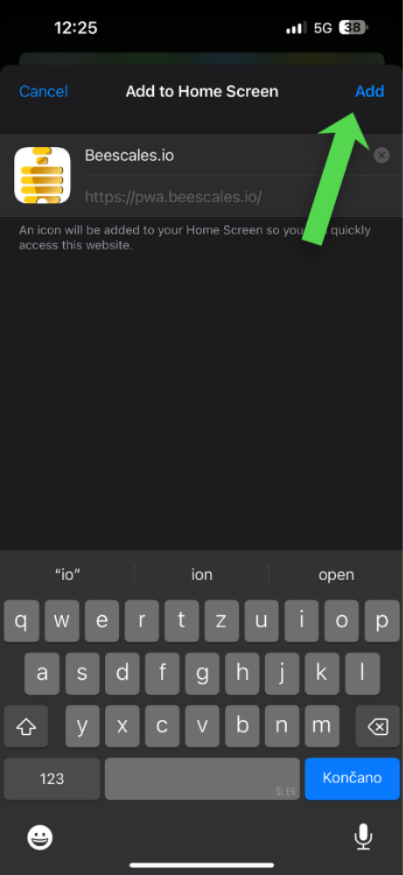
Ensure the option "Open as Web App" is enabled.
-
If needed, you can change the app name.
-
Tap "Add" in the top right corner.
-
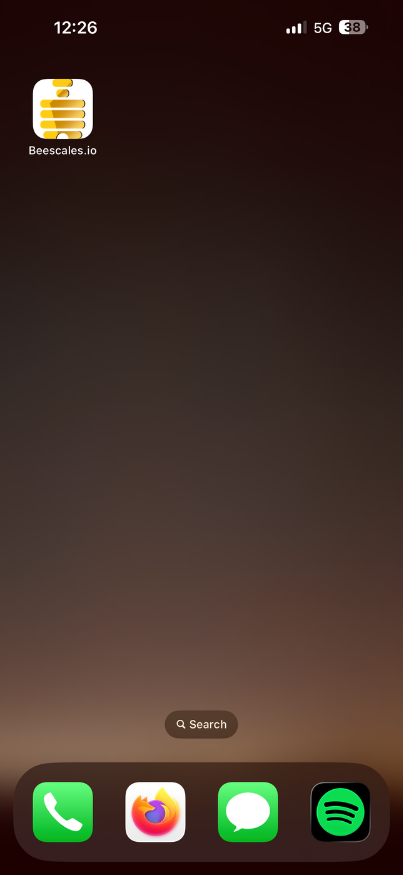
The app will now appear on your iPhone Home Screen and can be launched like a regular app.
Note:
If the "Add to Home Screen" option is not visible, scroll to the bottom of the Share menu and choose "Edit Actions".
Then add the "Add to Home Screen" action.
Video guide
Installing a PWA on the iPhone:
https://www.youtube.com/watch?v=rXzADglUEZA
Additional quick guide:
https://www.youtube.com/shorts/FK2DjouCf3U